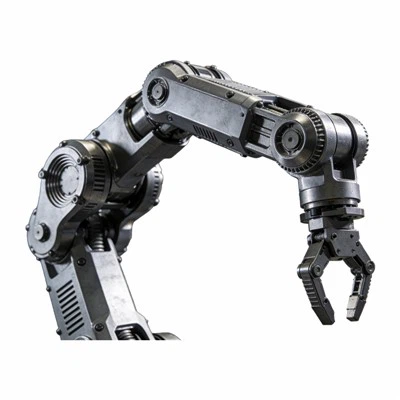
If you’ve ever worked with 3D printing model parts, you know scaling a model isn’t just about dragging a slider in your slicer software. It’s a make-or-break step that turns a digital design into a functional, fit-for-use part—whether you’re printing a custom robotic hand housing for humanoid & dexterous robots, a small prototype for a consumer product, or a replacement part for industrial equipment. As a 3D Printing Model Parts supplier, I’ve spent years troubleshooting scaling mistakes that turned smooth, intended prints into warped, non-functional messes. From initial design tweaks to final slice adjustments, scaling requires balancing technical precision with real-world manufacturing limitations. Let’s break down exactly how to do it right.
First, start with the core question: why do you need to scale in the first place? I’ve had clients come to me with designs that were perfect on screen but too tiny to assemble, or too large to fit their target assembly. For example, a customer last quarter brought in a 1:10 scale robotic gripper design that was meant to mount on a test rig, but when it came time to print, they realized the tiny hinge pins were too small to hold under stress. Scaling up 20% made the pins robust enough to function— but only after we checked a few critical boxes to avoid common pitfalls. The first non-negotiable step before adjusting any dimensions is confirming the original design’s unit system. Nothing derails scaling faster than mixing millimeters and inches, or assuming a design was built in one unit when your slicer defaults to another. I once had a new client send a 3D model marked “inches” that their CAD software had actually saved as millimeters; scaling it by 25.4 (the conversion factor) turned a 1-inch bearing mount into a 25.4-inch behemoth that wouldn’t fit on our SLS Printing Service build plate. Always double-check units first—most CAD tools like SolidWorks, Fusion 360, or Blender let you set and verify units in the “Document Properties” or “Scene Settings” menu.
Next, identify which dimensions to scale uniformly versus which to adjust selectively. Uniform scaling—stretching or shrinking the entire model by a single percentage—works for many parts, especially prototypes or non-critical decorative pieces. But functional parts, like the Custom Robotic Hand Housing For Humanoid & Dexterous Robots we produce, rarely need uniform scaling. A robotic hand’s grip strength depends on the exact diameter of its joint housings, the length of its finger segments, and the clearance between its gears. Scaling all dimensions by 15% might make the hand larger, but it could throw off the gear mesh or cause fingers to hit each other when bending. For these parts, we use a combination of uniform scaling for overall size and selective scaling for critical features. For example, we’ll scale the entire model to fit the build plate, then adjust only the internal bearing pockets by a fraction of a millimeter to account for the shrinkage that happens during post-processing on 3D Printing Plastic Parts or Resin 3D Printing Parts. The key here is to distinguish between “critical” dimensions (those that affect fit, function, or assembly) and “non-critical” dimensions (like decorative trim that only impacts appearance).
One of the most overlooked parts of scaling is accounting for 3D printing-specific shrinkage and tolerance. No matter which technology you use—SLS, FDM, resin—all 3D printed parts will shrink slightly as they cool and cure. SLS printing, for example, uses powdered nylon or polypropylene that fuses layer by layer; parts shrink roughly 0.2-0.5% in each axis as they cool, depending on the material. Resin parts, cured with UV light, shrink even more—usually 0.3-0.8%—and often need a small extra buffer to account for that. I learned this the hard way early in my business: a client ordered a set of custom gear housings for a small robot, scaled uniformly and assuming no shrinkage, and when they arrived, the gears wouldn’t mesh at all. We had to reprint them with a 1% extra buffer on the internal gear teeth, which fixed the fit perfectly. That’s why, when working with our team, we always add a “material-specific tolerance” layer to every scaled part. For SLS Printing Service, we have pre-calibrated shrinkage values for every plastic material we offer, so scaling a model and adjusting for shrinkage is as simple as inputting the correct material code into our slicer settings. For resin parts, we adjust the scaling factor during the model preparation step, rather than in the slicer, to account for the higher shrinkage rate.
Another common mistake is scaling thin-walled parts incorrectly. If you’re printing a small housing or a bracket with walls less than 2mm thick, scaling that part uniformly might make the walls too thin to be structural, or too thick to fit into a tight assembly. For example, a replacement part for a vintage appliance that’s 1.5mm thick might scale up to 1.8mm, which is strong enough, but if you accidentally scale it down, the walls could become 1.2mm and crack under light pressure. When scaling thin-walled parts, use your slicer’s wall thickness tool to check the minimum wall size after scaling. Most slicers have a “minimum wall thickness” setting that flags areas where walls are too thin for the material. For thin-walled 3D Printing Model Parts, we often recommend selective scaling: keep the wall thickness the same as the original design, and adjust only the overall exterior dimensions to match the required fit. That way, the structural integrity of the thin walls remains intact, even as the part grows or shrinks.
Fit and assembly are the final checks to complete before you send a scaled model to print. Even if the dimensions look perfect on screen, you need to test how parts will fit together in the real world. For parts that fasten with screws, add 0.2-0.3mm to the diameter of the screw holes if you’re scaling the part up—plastic can compress slightly when the screw is tightened, so extra clearance prevents the screw from getting stuck or stripping the hole. For parts that slide together, like a peg and a hole, test the clearance: a peg that’s exactly the size of the hole will be too tight because of layer adhesion, so adding 0.1mm of clearance for resin parts, or 0.15mm for SLS parts, ensures a smooth fit. I always recommend doing a “dry fit” test with two scaled parts before printing the full batch. If you’re ordering a small prototype, print it in a low-cost material first to confirm the fit, then scale and adjust for the final production run. This saves a lot of time and money on reprints—something every 3D Printing Model Parts supplier knows is crucial for keeping clients happy.
Now, let’s talk about scaling for different use cases, because scaling a prototype is very different from scaling a production part. Prototypes, for example, are often scaled up or down to make small details easier to see or test. A 1:2 scale prototype of a robot arm is great for testing movement, but scaling it 2x can make the small sensors too large to fit, so you might selectively scale just the sensor mounts to keep their original size. Production parts, on the other hand, need consistent scaling across every unit to ensure interchangeability. If you’re making 100 custom robotic hand housings, every one needs to have the exact same dimensions, so we use a single scaling factor for all parts and apply a fixed shrinkage adjustment per material. That way, every hand fits the same robot model without custom modifications. For high-volume production, we also do a small batch test print first—5-10 units—to check for scaling consistency before full production runs. I once had a client who needed 500 gear housings for a power tool; we printed 10 test units, measured each one, and found that the scaling factor was off by 0.1mm in the gear teeth. Adjusting the scaling factor by that small amount meant all 500 units fit perfectly, with zero reprints.
What about scaling models for specific 3D printing technologies? That’s where experience really makes a difference. FDM, for example, has a minimum feature size of about 0.8mm, so scaling a model with 0.5mm fillets will cause those fillets to disappear or become jagged. SLS printing can handle smaller features, down to 0.3mm, so scaling a model with tiny details is safe. Resin printing is the most precise, with features as small as 0.1mm, so it’s great for scaling models with fine details like text or small mechanical parts. When we work with clients on scaling parts for their project, we always ask which technology they’re using, because that changes the scaling strategy. A small, detailed model for resin printing will need a different scaling factor than a large, structural part for SLS. For example, the custom robotic hand housings we print for robotics companies use SLS nylon because it’s strong and flexible; scaling those parts means adjusting for SLS’s lower shrinkage rate and making sure the finger segments are long enough for smooth movement. If we used resin for those housings, the parts would be too brittle for repeated use, so scaling is tailored to the material and technology.
There’s also the question of scaling for aesthetics, not just function. If you’re printing a decorative model, like a figurine or a display piece, scaling is more flexible, but you still need to avoid distorting proportions. I’ve seen clients scale a medieval knight model by 20% and accidentally stretch the legs disproportionately, making the figure look awkward. For aesthetic scaling, use your CAD software’s “uniform scaling” tool and double-check proportions in the viewport—most tools have a ruler tool that lets you measure key features like head size, arm length, and torso height to make sure they stay proportional. If you need to adjust proportions for style, do it selectively, not by changing the overall scaling factor. That way, the model keeps its intended look without breaking functionality.
At the end of the day, scaling a 3D model for printing isn’t a one-step process—it’s a series of checks and adjustments that depend on the part’s function, the material used, and the 3D printing technology. Whether you’re printing a custom robotic component, a replacement part, or a decorative model, taking the time to verify units, distinguish critical vs. non-critical dimensions, account for shrinkage, and test fit will save you from costly mistakes and reprints. As a 3D Printing Model Parts supplier, I’ve seen how even small scaling errors can derail a project, so my team and I prioritize these steps for every order we take. If you have a project that needs precise, scaled 3D printing parts—whether it’s the custom robotic hand housing for your robot, functional plastic parts, or high-detail resin parts—we’re here to help. Contact our team to discuss your project and get a custom quote that fits your needs.


References:
- Gibson, I., Rosen, D. W., & Stucker, B. (2015). Additive Manufacturing Technologies: 3D Printing, Rapid Prototyping, and Direct Digital Manufacturing. Springer.
- Kalpakjian, S., & Schmid, S. R. (2021). Manufacturing Processes for Engineering Materials. Pearson.
- Hopkinson, N., Hague, R., & Dickens, P. (2006). Rapid Manufacturing: An Industrial Revolution for the Digital Age. John Wiley & Sons.